

How to Choose the Best Car Camera in 2026
A Car Camera can turn a sudden brake, a blurred license plate, or a parking-lot bump into recorded evidence. But buying one is not as simple as choosing the sharpest-looking video. Sensor quality, night performance, heat resistance, storage, and installation all affect what the camera actually captures.
The scale of road risk is substantial. NHTSA estimated 42,514 U.S. traffic deaths in 2022, underscoring why reliable records can matter after a collision. That figure does not mean a dash camera prevents crashes or settles claims. It gives context, not a product promise. Meanwhile, Grand View Research estimated the global dash camera market at about $4.03 billion in 2023, with continued growth projected through 2030. Market growth shows rising interest, but it cannot tell you which model performs best.
Details matter. A crisp daytime image may become grainy after sunset. A wide lens can capture more road, yet make distant plates harder to read. Tiny screen, tight budget, long commute—each changes the best choice. This guide compares practical features, including resolution, field of view, GPS, parking mode, and app support. It also considers independent testing and warranty terms, rather than relying only on brand claims. Even careful comparisons have limits. A camera can miss an impact, lose power, or record unclear footage. Keep that in mind. The right Car Camera is the one that fits your vehicle, routine, and expectations—not simply the one with the longest feature list.
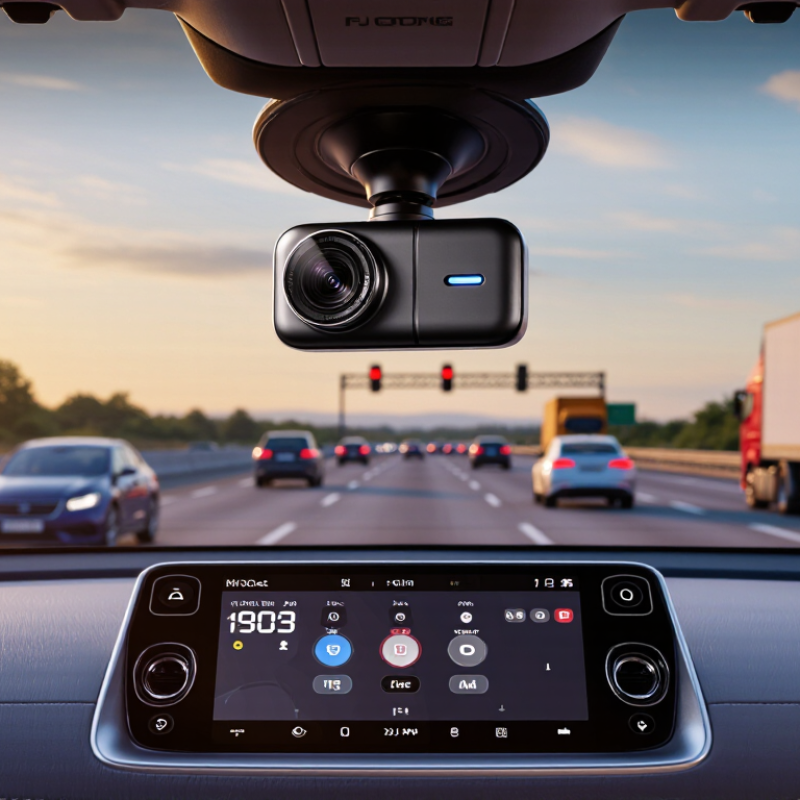
Identify Your Driving Needs and Intended Camera Use
How to Choose the Best Car Camera in 2026
Identify Your Driving Needs and Intended Camera Use
Start with the moments you want a camera to capture. A daily commuter may value clear footage of traffic and road signs, while a rideshare driver may need a wider cabin view. For family trips, simple controls and dependable recording can matter more than extra features. Picture your usual route: shaded streets, a dim garage, or a busy highway. Those details help you compare low-light performance, viewing angles, and video clarity. Bigger specifications do not always mean better footage.
Tips: Check how the camera mounts and whether it blocks your view. Look at sample footage from daylight and nighttime conditions. If you want parking recording, confirm how it powers the camera and manages saved clips. Keep storage needs in mind, too.
Think about who will use the footage and how often you will review it. A clear, stable image is useful, but easy playback matters when you need to find one short event among hours of driving. Test the menus before committing, if possible; fiddly controls can become annoying on a rushed morning. I might be tempted by a long feature list, yet some options could sit unused. Choose for your real routine, not an idealized one.

Compare Camera Types, Coverage, and Mounting Options
Choosing the best car camera in 2026 starts with deciding what you need to see. A front-only camera records the road ahead and usually involves simpler installation. A front-and-rear setup can capture traffic approaching from behind, but requires routing a cable through the cabin. Cabin-facing cameras may suit rideshare drivers or families who want interior footage. Some systems combine several views. More coverage can mean more wiring, storage use, and setup time.
Check how each camera handles changing light, not just its headline resolution. A bright afternoon is easy; a dim parking garage is less forgiving. Look for clear number plates at realistic distances and footage that remains usable at night. A wider field of view captures more of the scene, though very wide lenses can make distant details look smaller. Test sample footage if available. Specifications don’t tell the whole story.
Mounting affects reliability as much as camera type. Windshield mounts are common, while dashboard mounts can work when the glass angle or shape is awkward. Suction cups are easy to reposition; adhesive mounts tend to stay put but are less convenient to move. Keep the lens clear of wipers and avoid blocking your view of the road. Check that cables do not snag near pedals or airbags. Small details matter. I’d still recheck the mount after a hot week; adhesives and dashboards can behave unpredictably.
Assess Video Quality, Storage, and Connectivity
How to Choose the Best Car Camera in 2026
Assess Video Quality, Storage, and Connectivity
Video quality is more than a resolution number. A sharp 4K image can still miss a plate if glare washes out the frame. Check sample footage in bright sun, shade, and at night. Look for readable detail across the image, balanced exposure, and smooth motion. A wide view helps capture context, but an excessively wide lens can distort objects near the edges. Details matter.
Storage determines how much footage remains available after a drive. Loop recording overwrites older clips, so an incident may disappear if it is not saved promptly. Choose a capacity that fits your usual driving time, and use a card rated for repeated recording. Check whether the camera clearly indicates when a clip is locked. I once assumed a short commute needed little space; frequent errands changed that calculation.
Tips: Test the camera before relying on it. Review a few clips on a larger screen, especially footage recorded after dark. Confirm that Wi-Fi transfers files at a useful speed, and see whether the camera remains easy to use without a phone connection. GPS can add location and speed data, but only enable features you actually need. Connectivity is convenient, not a substitute for checking your recordings.
How to Choose the Best Car Camera in 2026
Compare video resolution with estimated recording time on a 128 GB card. Higher resolution can capture more detail, but typically uses more storage.
Estimates assume continuous recording at illustrative bitrates of 25 Mbps for 4K, 16 Mbps for 1440p, and 10 Mbps for 1080p. Actual recording time varies by camera settings, compression, audio, and usable card capacity. Wi-Fi can simplify file transfer; GPS can add location and speed data.
Check Installation Requirements, Privacy, and Local Laws
Choosing a car camera in 2026 means checking more than image quality. Start with your vehicle’s manual and inspect the windshield area. Some cars have sensors or cameras near the rear-view mirror, and a new device should not block them. Check how the camera gets power, where its cable will run, and whether installation could interfere with airbags. Cable routing is easy to underestimate. If the setup is unclear, ask a qualified installer before removing trim or connecting wires.
Privacy deserves equal attention. A forward-facing camera may capture passengers, pedestrians, or nearby homes; an interior camera records even more. Review whether audio can be disabled and how footage is stored, shared, and deleted. Use a strong device password if available, and avoid leaving recordings accessible to people who do not need them. Small details matter. A camera meant to provide peace of mind can feel intrusive when everyone in the car has not been told it is recording.
Local rules differ, and they can change. Before buying, check current guidance from your transport authority or another official local source. Look for rules on windshield placement, recording audio, and filming or sharing footage in public spaces. Do not assume a rule from another region applies to your own. A quick check takes less time than repositioning a camera after installation. I would also revisit the settings after an app update; defaults can be easy to overlook.
How to Choose the Best Car Camera in 2026 - Check Installation Requirements, Privacy, and Local Laws
| What to Check | Why It Matters | Practical Buying Guidance |
|---|---|---|
| Recording coverage | A forward-facing camera records the road ahead; additional cameras can cover the rear or cabin. | Choose coverage that fits your needs. Check whether extra cameras require separate cables, ports, or installation. |
| Video quality and low-light performance | Resolution alone does not guarantee readable details; exposure, lens quality, glare handling, and night performance also matter. | Review sample footage captured in daylight, at night, and in changing light. Look for clear, stable footage and legible details at realistic distances. |
| Mounting and visibility | A poorly positioned camera can obstruct the driver’s view or fail to capture the intended area. | Check the mount and camera dimensions. Position it so it does not obstruct the windshield view, sensors, or airbags; follow the vehicle and camera instructions. |
| Power and installation | Power options affect setup complexity and whether recording can continue when the vehicle is parked. | Confirm the required power connection, cable routing, and compatibility with your vehicle. Hardwiring may require a suitable wiring kit and careful installation. |
| Parking-mode recording | Some cameras can record while parked, but this feature may require hardwiring or an external power source and can draw from the vehicle battery. | Check how parking mode activates, its power requirements, and whether a low-voltage cutoff or other battery-protection option is supported. |
| Storage and file protection | Continuous recording uses storage space, and loop recording commonly overwrites older footage unless it has been protected. | Check supported memory-card types and capacities, recording retention, and how to save important clips. Back up relevant footage promptly. |
| Privacy and audio recording | Cabin video, audio, location data, and shared clips may capture passengers or other people and can raise privacy concerns. | Review privacy settings, disable audio or cabin recording if unnecessary, limit access to files, and tell passengers when appropriate. |
| Local laws and road rules | Rules can differ by country, state, province, or city, including restrictions on windshield-mounted devices, audio recording, and sharing footage. | Before installation or recording, check current official local guidance and any applicable consent and data-protection rules. Do not assume rules are the same everywhere. |
| App, connectivity, and security | Wireless access can make footage easier to review, but may involve account access, location permissions, or cloud storage. | Check whether an app or subscription is required, what data is collected, and whether local file access is available. Use strong account security and review permissions. |
| Operating conditions and support | Heat, cold, vibration, and difficult access to controls can affect reliability and everyday usability. | Check the stated operating-temperature range, warranty terms, setup instructions, and ease of reviewing or exporting recordings. |
Tip: Confirm vehicle compatibility and current local requirements before installation. Legal requirements vary by location.
Match Essential Features to Your Budget and Vehicle
Choosing a car camera in 2026 starts with your vehicle and budget, not the longest feature list. A compact car may need a small unit that sits behind the mirror without blocking your view. In a larger vehicle, a rear camera can help cover blind spots while parking. Check that the power cable reaches neatly and that the screen or app is easy to use from the driver’s seat. Keep it simple.
Spend more only on features you will use. Clear daytime footage is useful, but low-light performance matters if you often drive after dark. A wide viewing angle can capture more of the road, though an extremely wide image may distort distance. A parking mode may suit street parking, but check its power needs and setup before buying. Storage capacity also affects how much footage you can keep. The perfect setup is not always obvious; sometimes a feature looks useful in a shop and becomes clutter in daily use.
Tips: Measure the space around your mirror, check your vehicle’s power outlets, and compare the camera’s video resolution and storage requirements. Choose a model with controls you can understand quickly. If possible, review a sample recording before installation. Don’t ignore cable placement; a dangling wire is annoying and can distract you.


